First check the October 25 hotkey fix
At release, holding keys for actions such as upgrades or gem creation could cause severe lag. An early correction went too far and stopped hold-to-repeat from working. Hotfix #2, released October 25, restores repeated activation while a key is held and adds a deliberate delay: 10 frames before repetition and two frames between later activations, according to the developer.
If you want to perform an action repeatedly, update first. Do not judge the current build from an October 21–24 complaint saying held hotkeys are unusable. Repeated input can still consume resources or apply multiple upgrades, so use short holds until you know which action you are repeating.
Quick hotkey reference
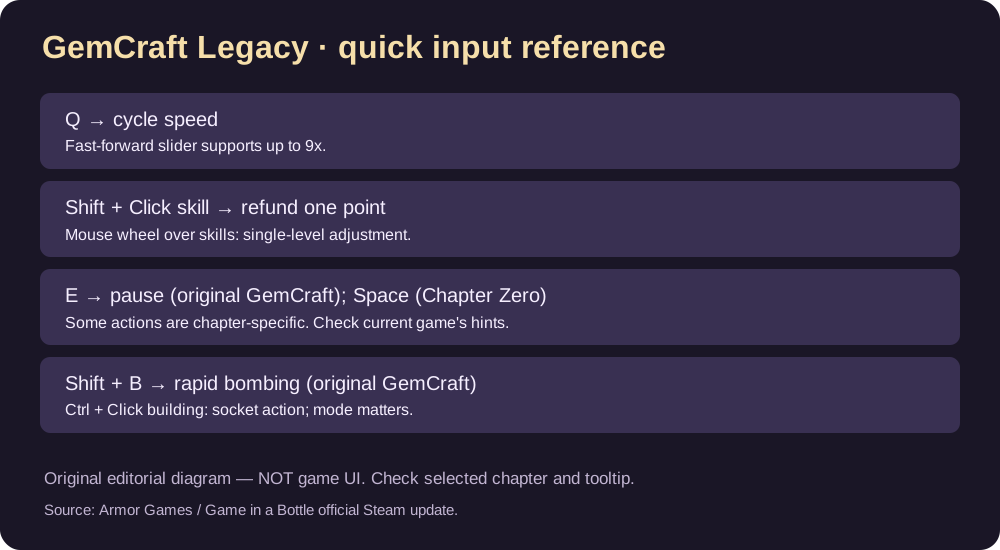
| Task | Developer-documented input | Scope |
|---|---|---|
| Cycle game speed | Q | Collection speed shortcut |
| Pause original GemCraft | E | Original GemCraft |
| Pause waves | Space | Chapter Zero |
| Set faster wave simulation | Speed slider up to 9x | Not a promise of constant FPS |
| Refund one skill point | Shift+Click skill | Skill allocation screen; check that one point is returned |
| Move one skill level | Mouse wheel over skill | Skill allocation context |
| Combine same-grade gems in the combining action | Shift+Click | Gem combining, not the skill screen |
| Fast gem bombing | Shift+B | Specifically announced for original GemCraft |
| Add/remove gem from a building | Ctrl+Click building | Context decides whether to insert or remove |
| Place traps smoothly | Hold Shift | Chapter Zero |
| Call next wave | N | Developer’s preview example |
| Call remaining waves | Ctrl+N | Documented in June demo notes as carrying into full release |
| Rapidly combine gems | Shift+G | Developer’s preview example; verify current chapter |
Refund a single accidental skill point
- Open the skill allocation screen in your current chapter.
- Hold Shift and click the skill once, as documented by the developer.
- Confirm that the skill level fell by one and that the point balance changed.
- Repeat only if you intend to remove another level. If nothing changes, check the chapter’s tooltip before resetting unrelated skills.
A Shift-click in gem-combining mode does something else; the active screen matters.
Use 9x speed without confusing speed with performance
The collection includes a fast-forward slider that can reach 9x simulation speed. Adjust it in gameplay, or use Q to cycle speed settings. This multiplier is a gameplay option, not a guarantee that your hardware can render every heavy wave at full frame rate.
Pause while handling complicated gem placement rather than trying to operate every control at maximum speed. Some shortcut behavior changed between the old Flash originals and the Steam collection, so use the currently visible tooltips for the selected chapter.
Does hold-to-repeat work in Labyrinth now?
The October 25 patch specifically describes the held-key problem in Labyrinth and says the fix is live. It applies a short repeat delay on purpose. If a held key still does nothing, first verify the game update and active mode, then try one press to separate an unrecognized command from a repeat-timing issue.
Important separate warning: Labyrinth Premium Content
Patch 1.1R on October 23 made Labyrinth’s Premium Content toggle permanent for the save in which it is enabled. Different saves can have different toggle states. Do not enable it just to test whether a hotkey works; this page is about controls, not undoing a permanent save-level setting.
FAQ
Why did holding a key stop working before Hotfix #2?
The developer says an initial anti-lag fix accidentally removed repetition. The October 25 patch restored it with forced delays.
Is the 10-frame delay adjustable?
The patch announcement does not document a player-adjustable delay setting. Do not assume one exists.
Are all these controls identical in all three games?
No. The publisher explicitly lists some commands for the original GemCraft or Chapter Zero only.
Sources
- Hotfix #2: holding down hotkeys, October 25
- Official developer news and shortcut reference
- Patch 1.1R and save-specific Labyrinth toggle
Independent GGClue guide; latest patch source checked October 25, 2026. Input actions are developer-documented, not falsely presented as hands-on tested in each chapter.