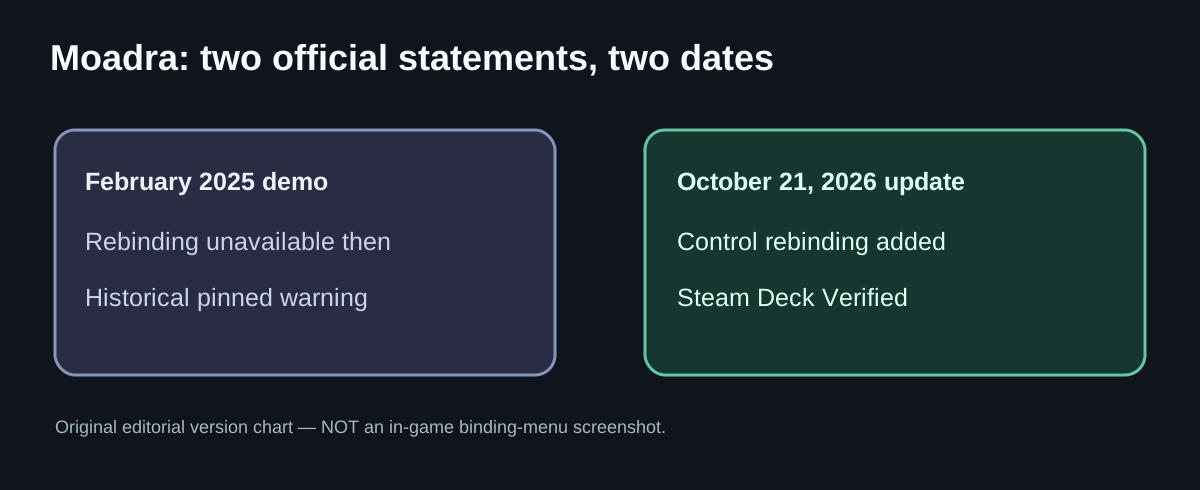
The dated source conflict
| When | What was stated | What that means now |
|---|---|---|
| February 2025 demo | Gloomsoft’s pinned feedback post: rebinding not supported; Xbox controller fully supported; other controller icon mismatches possible | Historical issue report, not a current feature list |
| October 21, 2026 | Gloomsoft: refreshed demo adds Rebind controls, scan logbook, localization and save carryover; game Steam Deck Verified | Newer official statement supersedes the old no-rebinding claim |
| Current Steam listing | Full controller support plus Steam Deck Verified; DualShock and DualSense supported in listed configurations | Supported features can coexist with individual device-specific faults |
How to check rebinding without using the wrong tutorial
- Confirm that you are using the current demo or full release, not a saved copy of the older 2025 demo.
- Open the game’s settings and locate the control/binding settings available on your actual installed version. The developer announced rebinding but did not publish the complete current settings menu path or a default keyboard-key table in the posts checked here.
- Change one action at a time and test it outside combat. If your requested binding is not accepted or a prompt still displays the old icon, note the hardware and version. Do not assume a particular button or menu label based on a screenshot from the 2025 demo.
- For Steam Deck, start with the default controller configuration. Valve’s Verified classification indicates that the tested configuration met Steam Deck criteria, not that every custom layout is verified.
- If your external pad is recognized by Steam but not the game, separate the problem of device detection from the problem of rebinding. Describe the exact device model and connection (USB/Bluetooth) when asking the developer for support.
Does Steam Deck Verified mean the demo and full game behave identically?
Not necessarily. The publisher’s October 21 announcement describes both the Verified result and updated demo features. Valve assessed Deck compatibility for a tested build; an older modded demo, a different PC controller, or an external monitor can behave differently. If you are debugging a control issue, note both the game build and the input environment rather than treating all three as the same platform.
The 2025 controller warning is not today’s answer
In early demo feedback, the developer said only Xbox was fully supported at that time; PlayStation and Switch Pro controllers could work with mismatched tooltips. Current Steam store metadata lists additional controller support and Verified status. This is a documented evolution, not proof that every reported controller problem vanished. Players have still posted device-specific frustrations, which require actual reproduction before a fix can be stated.
What about ultrawide and camera comfort?
Gloomsoft’s February 2025 known-issues list mentioned black bars outside 16:9. No sufficiently specific October 2026 statement was found here establishing universal full ultrawide support. Steam lists Camera Comfort under accessibility, but that does not prove a particular camera-shake slider or setting label exists. If a page claims “disable shake using [exact button]”, demand a current build screenshot first.
FAQ
Can you rebind controls in Moadra? Yes, control rebinding was added to the refreshed October 2026 demo, according to Gloomsoft. Test the options in your installed build.
Why does an old Steam thread say you cannot? It was a February 2025 demo report. The October 2026 official update is newer.
Is Moadra Steam Deck Verified? Yes, per Steam’s compatibility data and Gloomsoft’s October 21 announcement.
Does it work with DualSense? Steam lists DualSense support. A particular connection, mapping or setup may still fail; the official feature listing is not a universal troubleshooting guarantee.
Can I remove all camera shake? The current store lists Camera Comfort but no verified exact disable-shake control was captured for this guide; do not follow an invented menu path.
Sources
- Official Oct 21: Steam Deck Verified and updated demo
- Historical Feb 2025 demo known issues
- Official Steam store and accessibility
- SteamDB Deck verification test details
Related: Moadra help hub · Demo saves and old files
Independent GGClue editorial coverage, not affiliated with Gloomsoft or Valve. Features and availability checked October 23, 2026; per-device menus are not independently tested.
October 21 rebinding replaced the old 2025 Demo limitation
The developer’s October 21, 2026 Demo update introduced control rebinding and announced Steam Deck Verified status, one day before the October 22 retail launch. A February 2025 pinned known-issues message saying rebinding is unavailable belongs to an older demo, so it cannot be used as today’s ‘no rebinding’ answer. Conversely, Deck Verified does not certify that a particular third-party controller profile, custom hotkey or every ultrawide UI behaves identically between the demo and retail release.
Check the correct client first: confirm whether Steam launched the updated Demo or purchased full game, inspect its on-screen controls/settings for the actual remap action, change one low-risk command and verify it works in play. Success: the new binding persists and activates the intended move, not merely selecting an option or seeing Steam Input’s external mapping. If only the external overlay changes, do not claim the game itself saved an in-client binding. Capture the build and device for a failed remap rather than inventing an unsupported config-file edit.