Issue type: specific interaction-triggered crash · First-release report window: October 22–23, 2026 · Last verified: November 3, 2026 · Version: Early Access through v0.1.3.1; exact installed build UNKNOWN · Specific crash fix: not verified.
How this differs from a startup crash
A Spray Paint crash happens when the game is already running and a particular feature is used. A startup crash occurs before play can begin, while a main-menu problem can leave the window open but not interactive. Mixing these cases produces useless “fixes”: reinstalling the game because a paint interaction crashes does not have a confirmed evidence basis here, and a joystick reset cannot be assumed to help.
In the original Steam Spray Paint report, the player said the item had crashed their session more than once. Several people replied with agreement. One said it seemed to work after a restart. This supports a real reproducible player symptom for at least some launch installations, but it does not identify a universal root cause or guarantee a particular repair.
Safer choices while the behavior is unresolved
- Do not keep testing on valuable progress. If your game crashes when using Spray Paint, stop invoking the same action until you can confirm a relevant update. An intentional repeated crash is not necessary to prove to yourself that the issue exists.
- Save when the game provides an available, functioning save action. The Steam listing describes Save Anytime in platform metadata, but this page does not assume a specific button or that a save performed immediately before a crash will always survive. Verify in your own current build that the game actually saved before relying on it.
- Continue other activities if possible. Excavating, hauling, drilling and setting up your gold washing operation are part of the official advertised gameplay. You do not need to claim Spray Paint is required for all progression merely because it is present in the game.
- Capture information from a safe session. Record when you last used the item, where you were working, whether you were solo or in online co-op, and whether a crash displayed an error. Use a screenshot or clip only if safely available without repeatedly reproducing the failure.
- Check the released patch scope. The October 23 v0.1.1 notes say several spray-painting issues were fixed, but do not name this player-reported crash. Check whether a later developer note identifies the same symptom before treating your case as repaired; the old launch patch plan is not the current release record.
What a restart report does and doesn’t show
A player in the thread said the item worked after restarting. That is a useful individual observation, but the thread also includes several separate crash reports. It is possible for an intermittent issue to disappear once and return later, or to vary between systems. For that reason this page does not say “Restart to fix Spray Paint” and does not claim we have verified the item after updating.
| Claim | Evidence level | Editorial verdict |
|---|---|---|
| Using Spray Paint crashed a session | Several player reports | Confirmed as a reported symptom, not universal |
| Restarting resolved the crash for one user | One user reply | Anecdotal, not guaranteed |
| A developer patch has fixed this Spray Paint crash | v0.1.1 says several spray-painting issues were fixed, but does not name this report | Specific case remains UNKNOWN |
| The spray paint item is permanently unsafe in every build | Not established | Do not claim |
How to report this crash usefully
Use the official developer patch discussion or the official linked Discord. A concise case report might say:
Title: Groundwork Simulator — crash while using Spray Paint (Early Access)
Operating system and hardware: [OS, CPU, GPU, RAM]
Build/date: [installed build if visible]
Play mode: [solo / online co-op]
Approximate location/activity: [short description]
Interaction before crash: [selected Spray Paint / began using item / another precise step]
Observed result: [crash to desktop / freeze / other]
After restart: [did not retry / worked once / crashed again]
Avoid uploading personal files or credentials. Do not fabricate a video showing the crash if you have not recorded the event.
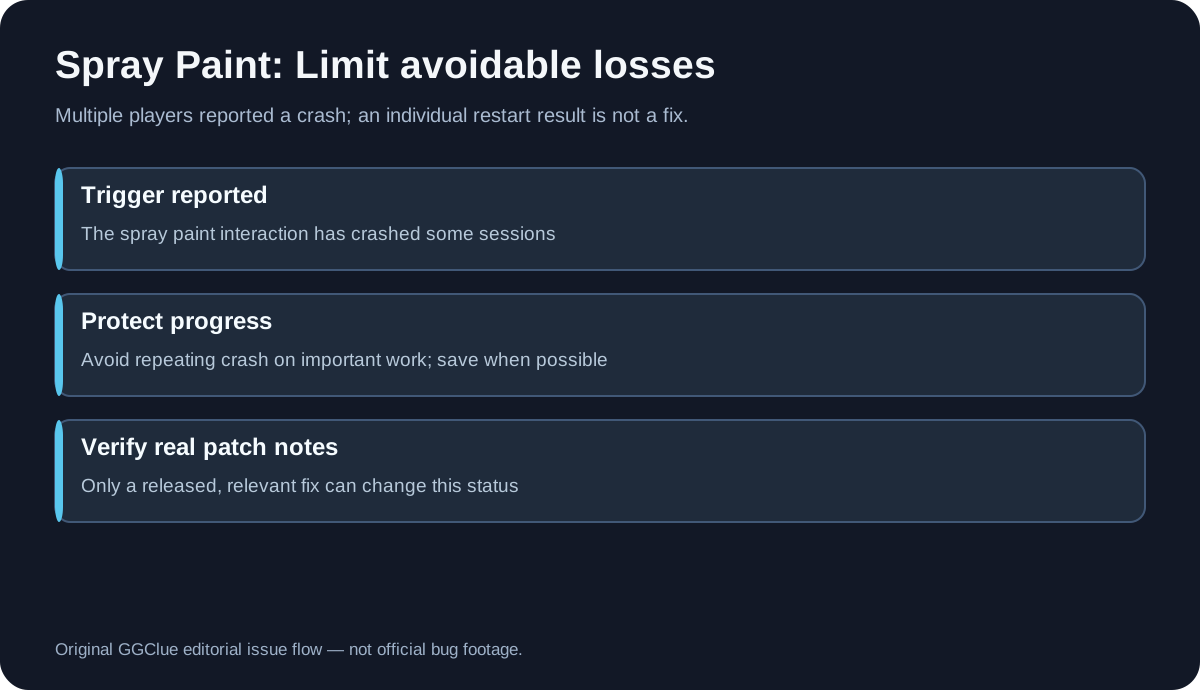
Media: The official developer gameplay video provides context for Groundwork’s worksite and machines; it does not show the Spray Paint crash. Beside it, use the original editorial reported-trigger/safer-action diagram. Alt: “Original Groundwork Simulator Spray Paint incident decision flow, not actual crash footage.” Caption: “Editorial issue flow based on Steam reports; developer fix not verified.”
FAQ
Has the Spray Paint crash been patched?
The official October 23 v0.1.1 update says it fixed several spray-painting issues, but it does not name this reported crash. That is relevant released patch evidence, not confirmation that this exact case was included or that the crash cannot recur. Check the official update history and the v0.1.1 patch note archive; keep the exact crash status unconfirmed unless a matching symptom is documented.
Should I restart and try again?
One person said the item worked after restarting, but others reported repeat crashes. Do not risk valuable progress just to test an unverified suggestion.
Is the game unplayable if Spray Paint causes a crash?
Not necessarily. This symptom is tied to one interaction in the reports; whether it blocks a specific objective depends on the user’s current task and build. Other gameplay such as digging and transporting is described officially, but we cannot promise every mission avoids the item.
Should I reinstall or delete my save?
There is no verified evidence for either action as a spray-paint-specific repair. Reinstallation can be time-consuming and deleting a save can cause irreversible loss, so neither is recommended by this page.
What is the best information to send to the developer?
Your build, exact sequence, whether you were in co-op, and what actually happened, without sensitive data or unverified files.
Sources
Specific player crash thread · Official Groundwork update history · v0.1.1 patch note archive · v0.1.3.1 patch note archive · Official Steam store · Official developer website.
Independent GGClue coverage, not affiliated with XYZ STUDIO. This page reports published evidence rather than claiming that GGClue reproduced the crash. Last verified November 3, 2026.
Related: Groundwork Simulator help hub · crash on startup menu unresponsive · dual joystick thrustmaster 0 2